How to Hand Off a Wedding Project to an Outside Editor
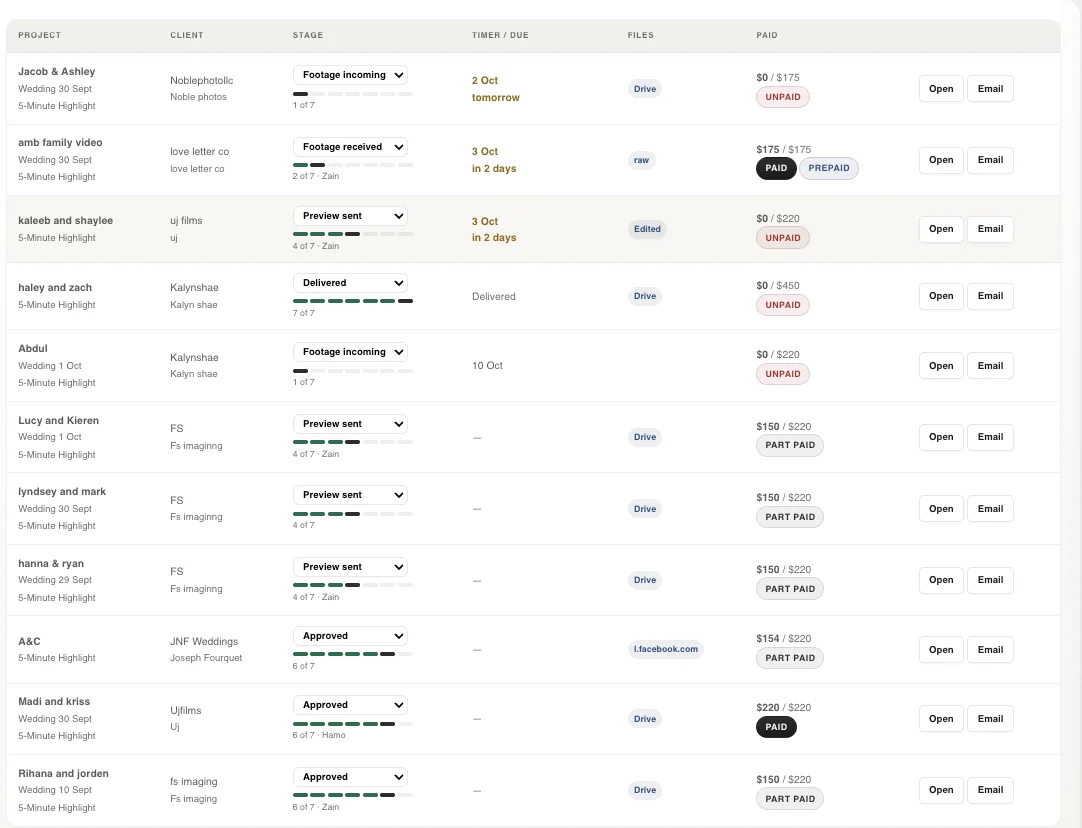
Most bad highlight Edits aren't the editorz fault. happen bcoz the footage showed up in a mess,nobody said what the film should feel like. lets suppose If you are thinking abt outsource wedding video editing for ur studio, the way you hand the project over decides how good the first cut is.
We edit wedding films every day this year we deliver more then 300+ Wedding Highlight , and we've seen the same four problems over and over: footage nobody can navigate, a style brief that says "cinematic", music that arrives after the first draft, and revision notes that contradict each other. All four are easy to fix on your side. This is how we'd set up a handoff if we were the ones sending it.
What to send before the editor opens a timeline
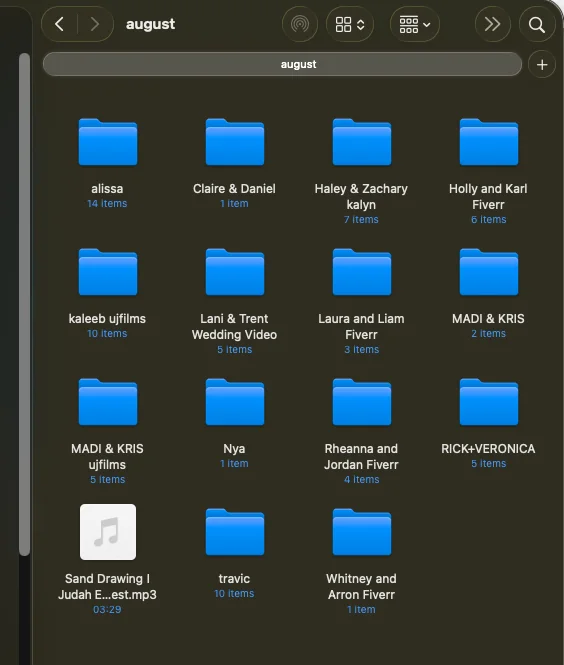
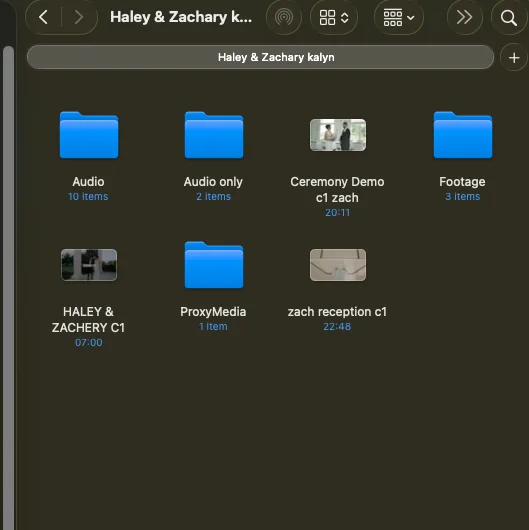
Think about what you'd want if someone handed you a stranger's wedding. You'd want to find the ceremony in ten seconds, not ten minutes.
- Sort footage by day part. Prep, first look, ceremony, portraits, reception, speeches, dancing. One folder each, and inside it one folder per camera.
- Name cameras consistently. A, B, C and drone are fine. "Untitled folder 3" is not.
- Send proxies if the files are heavy. If you shot 4K or 6K, a 1080p proxy set saves the editor hours of lag, and it keeps multicam sync smooth.
- Flag the must-have moments. The vows, the ring exchange, the dad's toast, the grandmother's reaction. A short text note beats hoping the editor spots them.
- Say which audio is good. Tell us which recorder or lav has the clean vows and speeches. Otherwise we find out by trial and error.
- Send the music before the edit, not after. If the couple picked songs, send them. If you have licensed tracks you like, send those. Music drives the pacing, so swapping it later means re-cutting.
- Include a reference film. One finished edit of yours that you're happy with tells us more than a page of notes.
How to brief your style without writing an essay
"Cinematic, emotional, timeless" describes every wedding film ever sold. What an editor can use is specific. Give us a few concrete answers:
- Pacing. Do you let moments breathe, or do you cut tight to the beat?
- Highlight length. Three minutes, five, ten? Is there a separate teaser or social cut?
- Color. Warm and golden, clean and neutral, or moody with crushed blacks? A LUT name or a graded still from a past film settles it fast.
- Audio. How much ceremony and speech audio stays in the highlight, and how much is just music?
- Things you always do. Slow motion on the first look, a voiceover from the vows, a title card. Things you never do are just as useful.
If you can, point at timestamps in your reference film: "the cut at 1:40 is how I like transitions." Ten minutes of notes like that saves a round of revisions.
Software, project files and who owns what
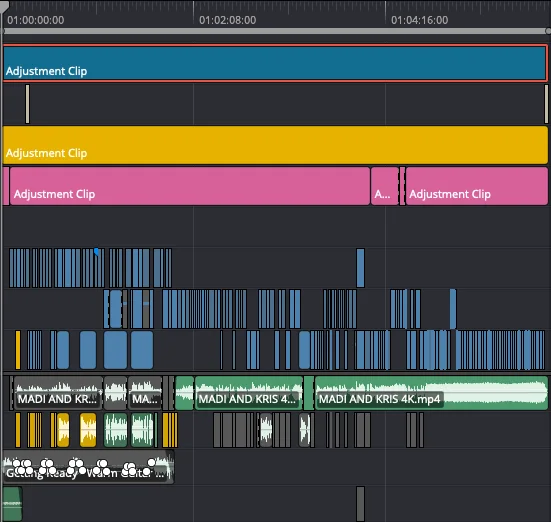
It doesn't matter much whether your editor works in Premiere Pro, DaVinci Resolve or Final Cut Pro. What matters is that you agree on it up front, and on what comes back.
- Tell the editor your software. If you want a project file you can open and tweak yourself, say so at the start. Some studios only want the exported film. Others want the timeline so they can make small changes in-house.
- Keep one shared structure. Raw footage in one folder, music in another, graphics and logos in a third, and exports in a separate delivery folder. Everyone should know where to look.
- Use a transfer method that survives big files. Cloud drives or a transfer service work. Emailing a link to a single 200 GB zip does not.
- Settle ownership in writing. The footage and the finished film are yours. If your editor works white label, your studio's name goes on the film and your clients never hear about the editor. Say that in your agreement, and ask for an NDA if you want one.
- Check delivery specs. Resolution, frame rate, codec and file naming for the final export. It's a two-line message now, or a re-export later.
Revisions and turnaround: what's normal
At Wedding Edit Lab, a film comes back in 48 to 72 hours and includes two rounds of revisions. Ask any editor you work with what their numbers are before you start, because "fast" means different things to different people.
The revision round goes better when you do three things:
- Send all your notes at once. One list, with timestamps. A trickle of notes over three days means the editor keeps reopening the same cut.
- Be specific about the fix. "Make the ceremony feel shorter" gives us a puzzle. "Trim 20 seconds between 2:10 and 2:40" gives us a task.
- Check the couple's input yourself first. If the bride and groom have notes, collect them and settle any disagreements before they reach the editor.
If you want a quicker turnaround on one film, say so when you send it. Rush timing is something to agree on in advance, not discover the night before delivery.
The handoff checklist
Run through this before you hit send on the next project.
- Footage sorted by day part, then by camera
- Cameras and audio sources named clearly
- Proxies included if files are 4K or larger
- Must-have moments listed, with rough timestamps
- Clean audio sources noted (vows, speeches)
- Music and licensing details sent
- One reference film, plus notes on what you like about it
- Pacing, highlight length, color and audio choices written down
- Software and project file expectations agreed
- Delivery specs set: resolution, frame rate, codec, file name
- Ownership, white label and NDA terms agreed
- Turnaround and number of revisions confirmed
- One person on your side responsible for collecting revision notes
Try it on one film
A good handoff takes about fifteen minutes to set up and saves days of back and forth. The best way to find out if an outside editor fits your style is to send them a real film.
We edit with human editors, no AI, at $220 per film, and the first one costs $0 upfront. You only pay if you love it. Send us a first film and use this checklist to set it up. If you'd rather work white label, we cover that on our white label wedding video editing page.